Matched by geometry, not zip codes
Every deal starts with a need
Post your requirements, add your properties and draw your target markets. Wherever a requirement's area overlaps a market or a property, it shows up as a match. Scout AI fills in your post from an email, image or brochure, answers your questions and shares insight on your market.
Track who's looking for space in your market
Watch
See NeedRE at work
Five members, five ways to use NeedRE, each in about a minute. Or start with the full tour.
One network
Every need, out in the open
Requirements hide in email threads and spreadsheets. NeedRE gathers them in one network, next to the properties that could fill them.
Requirements
What's needed: type, size, budget, timing, and the areas that would work.
Properties
Buildings and land members offer, with photos and brochures, shared with the network or kept pocket.
Target markets
The areas you cover. Every requirement that overlaps them comes to you.
Matches
Properties are scored against the requirements whose areas contain them, and the right members hear about it by email.
What's inside
Everything a deal team needs, in one place
Every need, every property and every market you cover, matched by geometry. AI fills in the details from an email, a brochure or a sentence, so you spend less time typing.
RequirementsAI
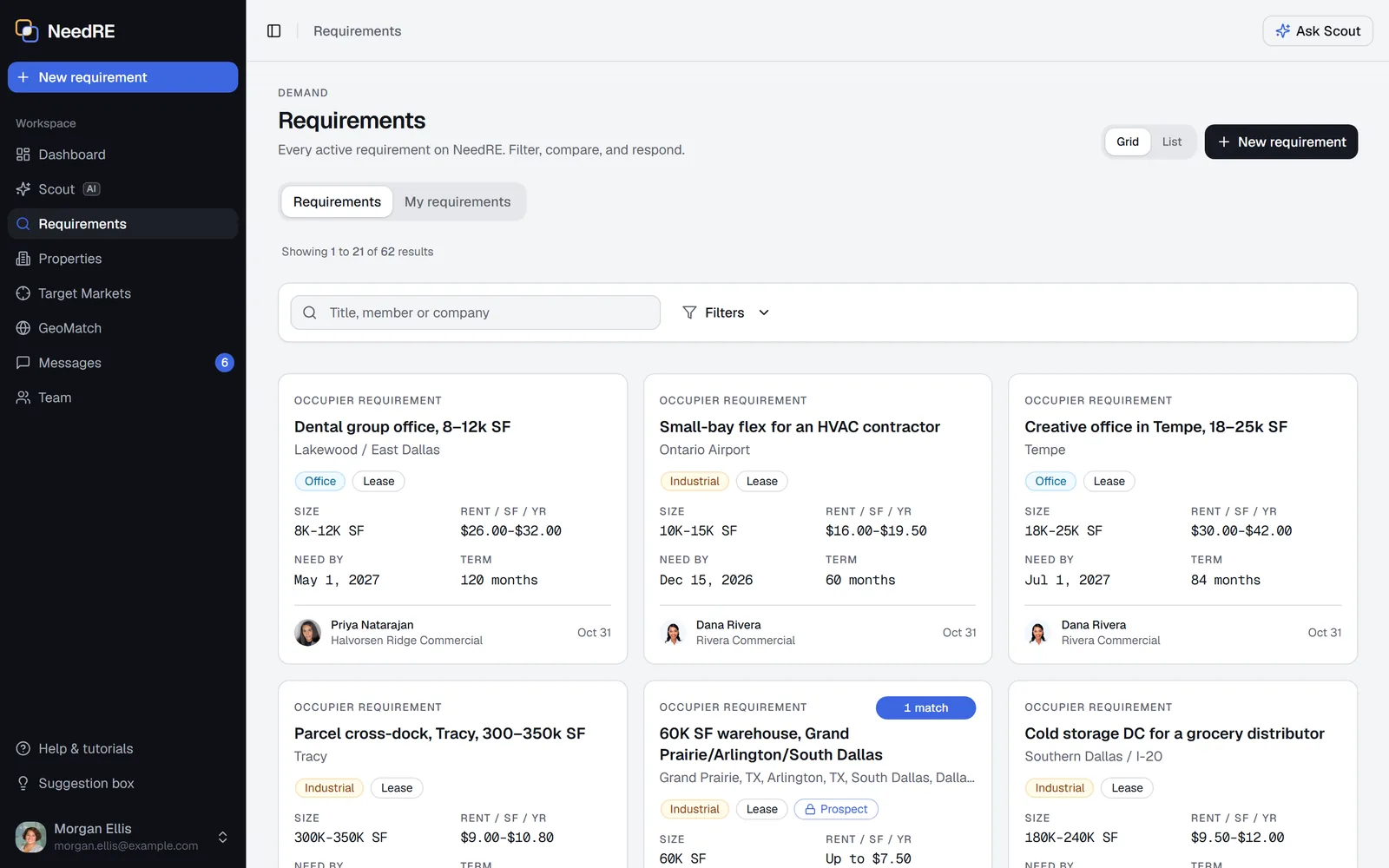
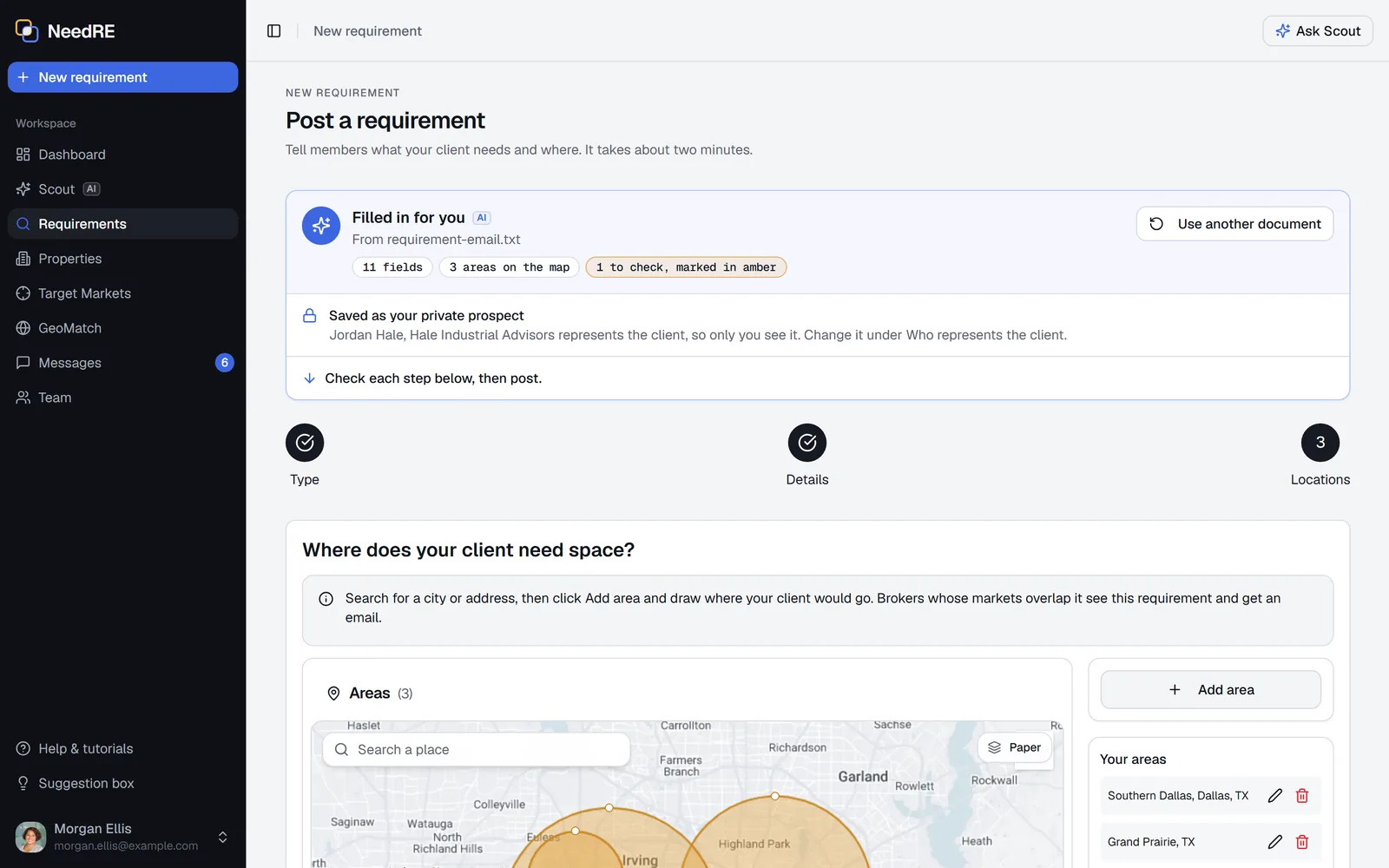
Post a requirement in minutes
Paste the requirement email, or drop a PDF or screenshot of it, and AI fills in the form: type, size, budget, timing and the areas, drawn for you. Check it, then post.
- Members whose target markets overlap your areas hear about it by email within 15 minutes
- Properties that fit come to you, scored on area, size, price and timing
- Track another broker's requirement privately as a prospect
Post by emailAI
Forward it, and it's ready to post
Forward requirement emails and property brochures to post@in.needre.com from your work email. Each one is read into its own draft and waits for you under Waiting to post.
- Several brochures in one email become separate drafts
- A reply links you to each draft
- Nothing posts until you check it and save
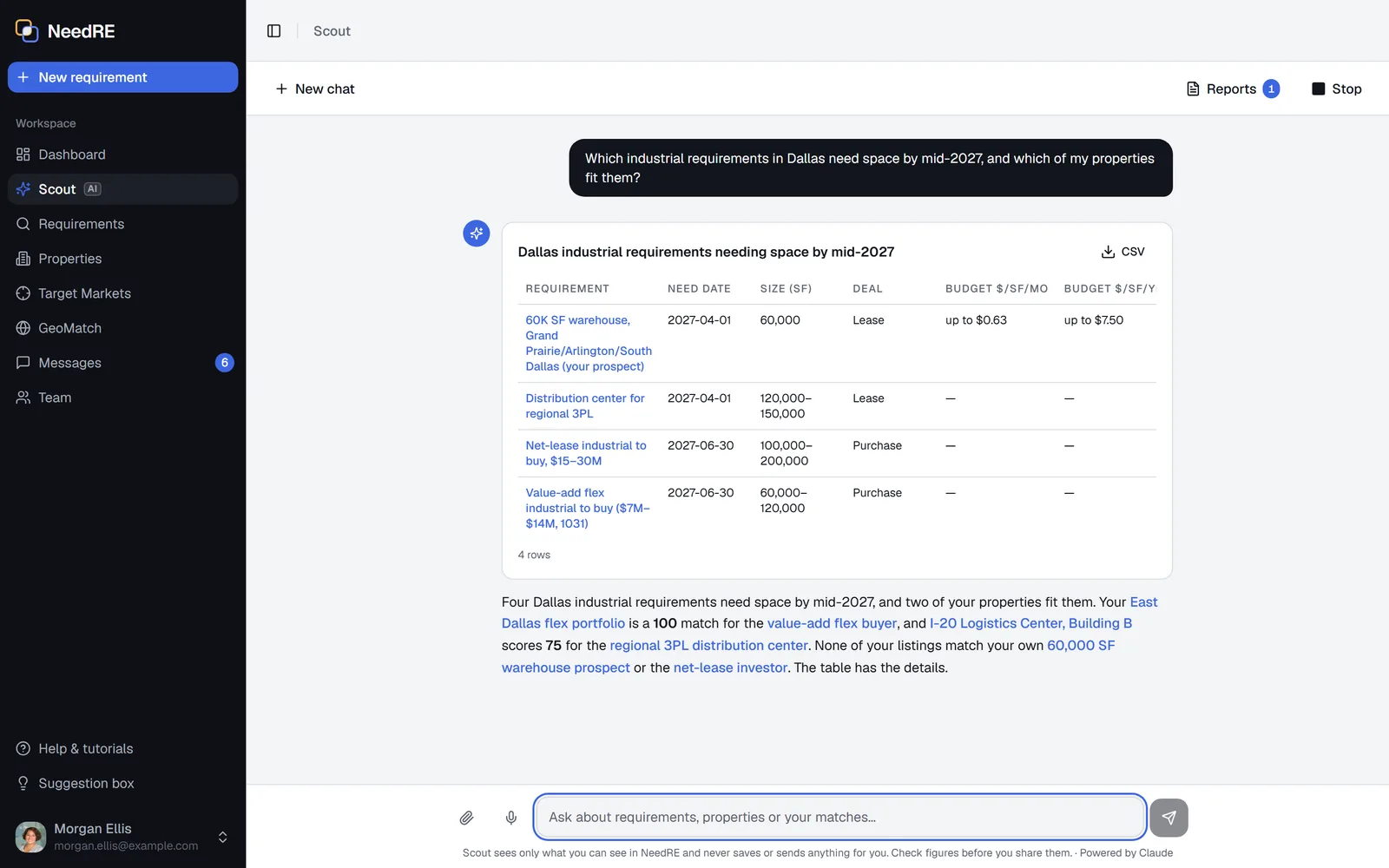
ScoutAI
An assistant that knows your market
Ask about requirements, properties, your markets and your matches in plain English. Scout answers from what you can see in NeedRE, and sets up requirements, properties and target markets from a sentence.
- Tables and charts you can download, and answers read out loud if you like
- Rents given per month and per year, the way each market quotes them
- Attach or paste a PDF, image, Excel or Word file and ask about it
PropertiesAI
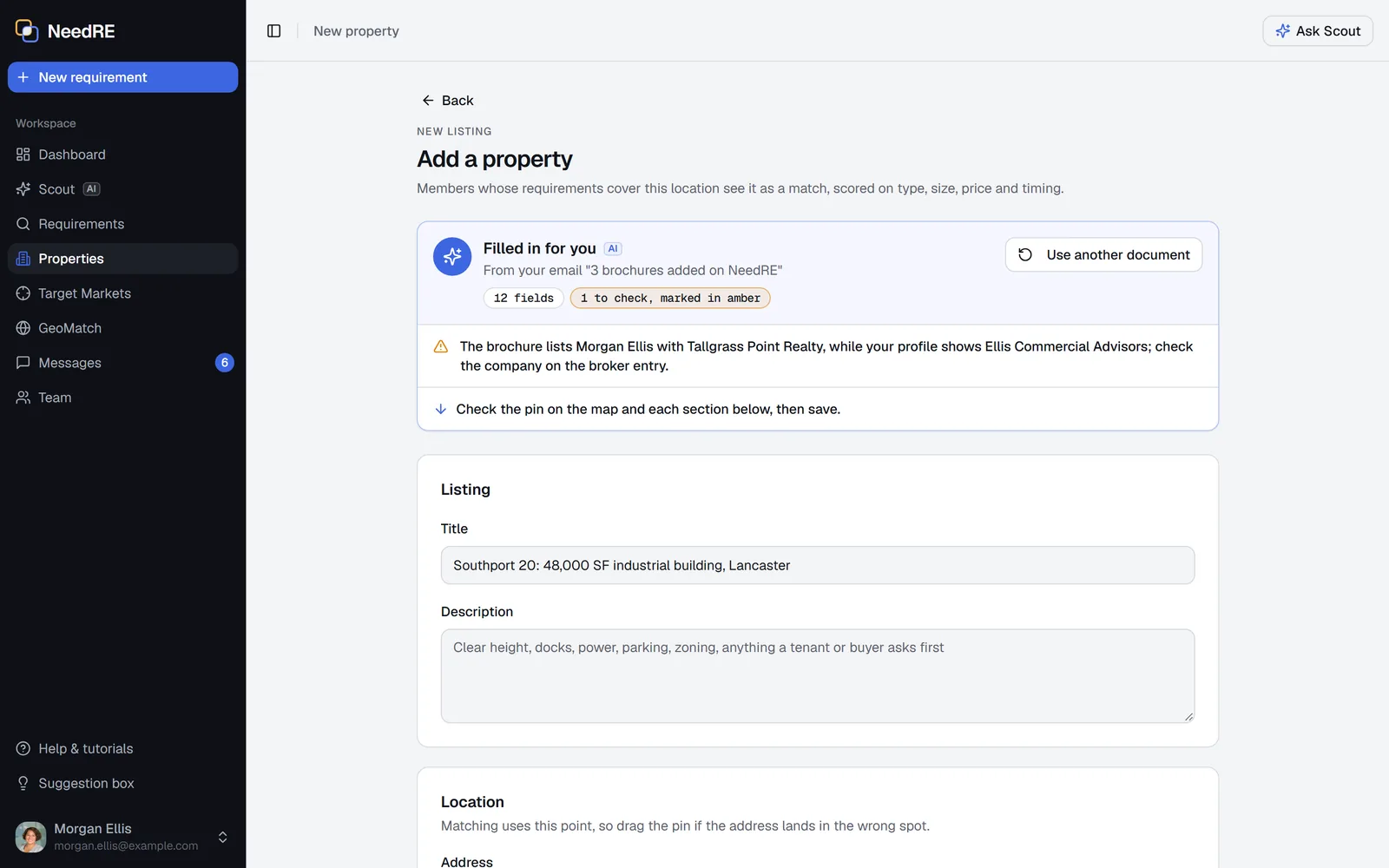
Drop a brochure. The form fills itself.
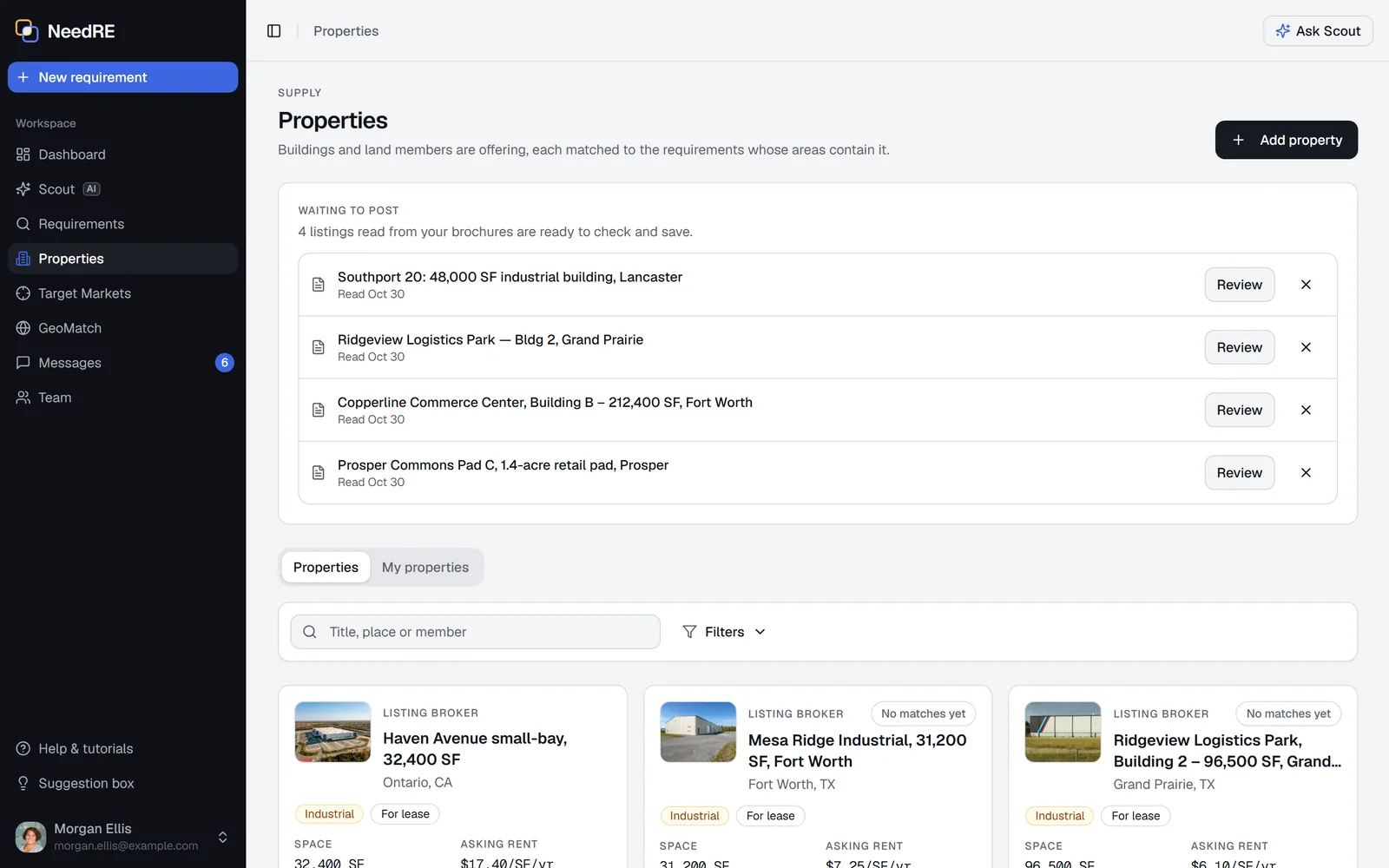
Drop a brochure or flyer on Add a property, and AI reads it into the property for you to check: details, size, price, availability and the brokers named on it.
- Drop several PDFs at once and each becomes its own draft
- Fields to double-check are marked
- The brochure stays attached for members to open
Property database
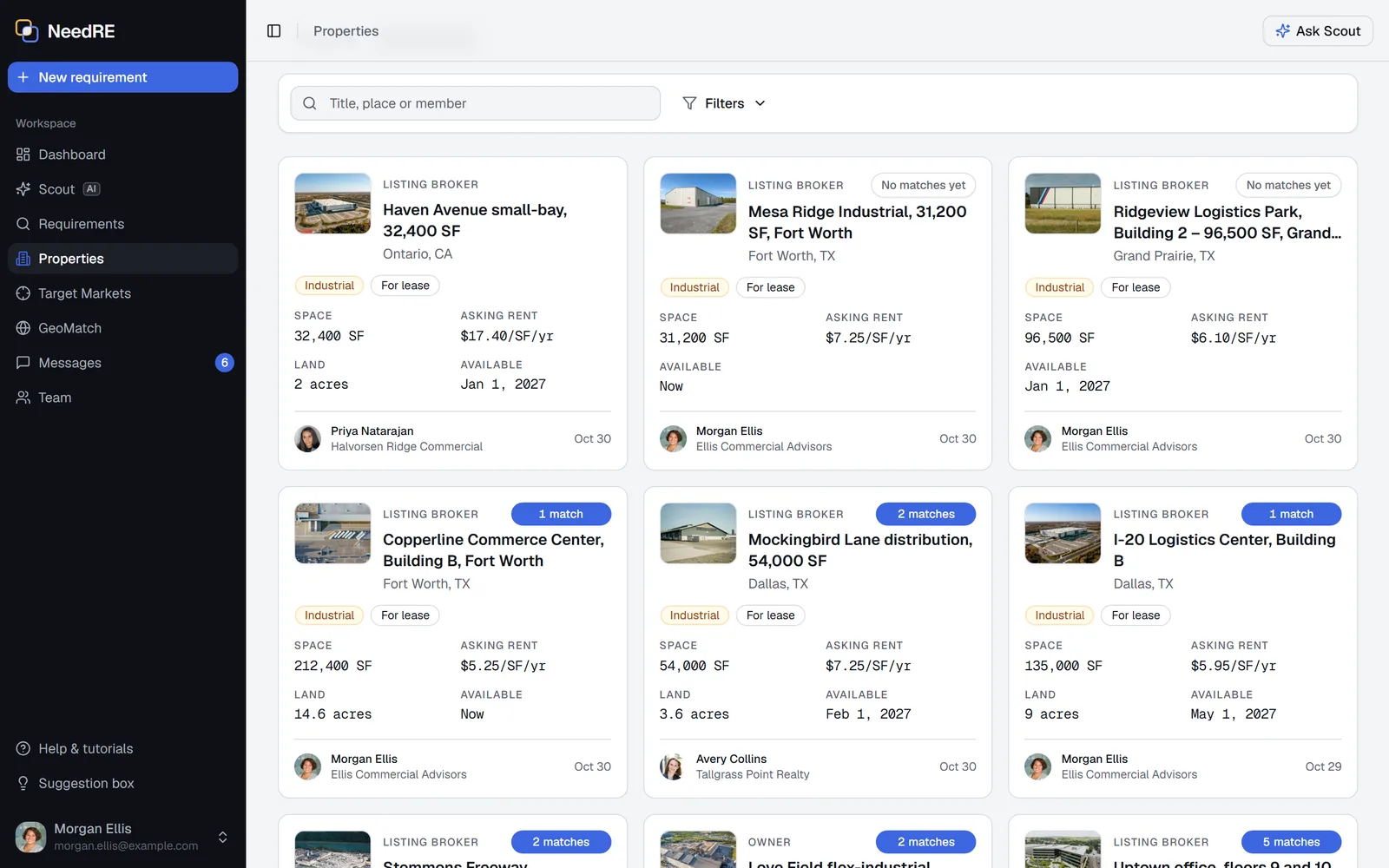
Every property matched to live demand
Add buildings and land with photos and a brochure. Each property is matched to the requirements whose areas contain it, and scored on type, size, price and timing.
- Share with every member, or keep it pocket for you and your team
- See who a property fits, and why
- Get an email when a new requirement fits one of your properties
Target markets
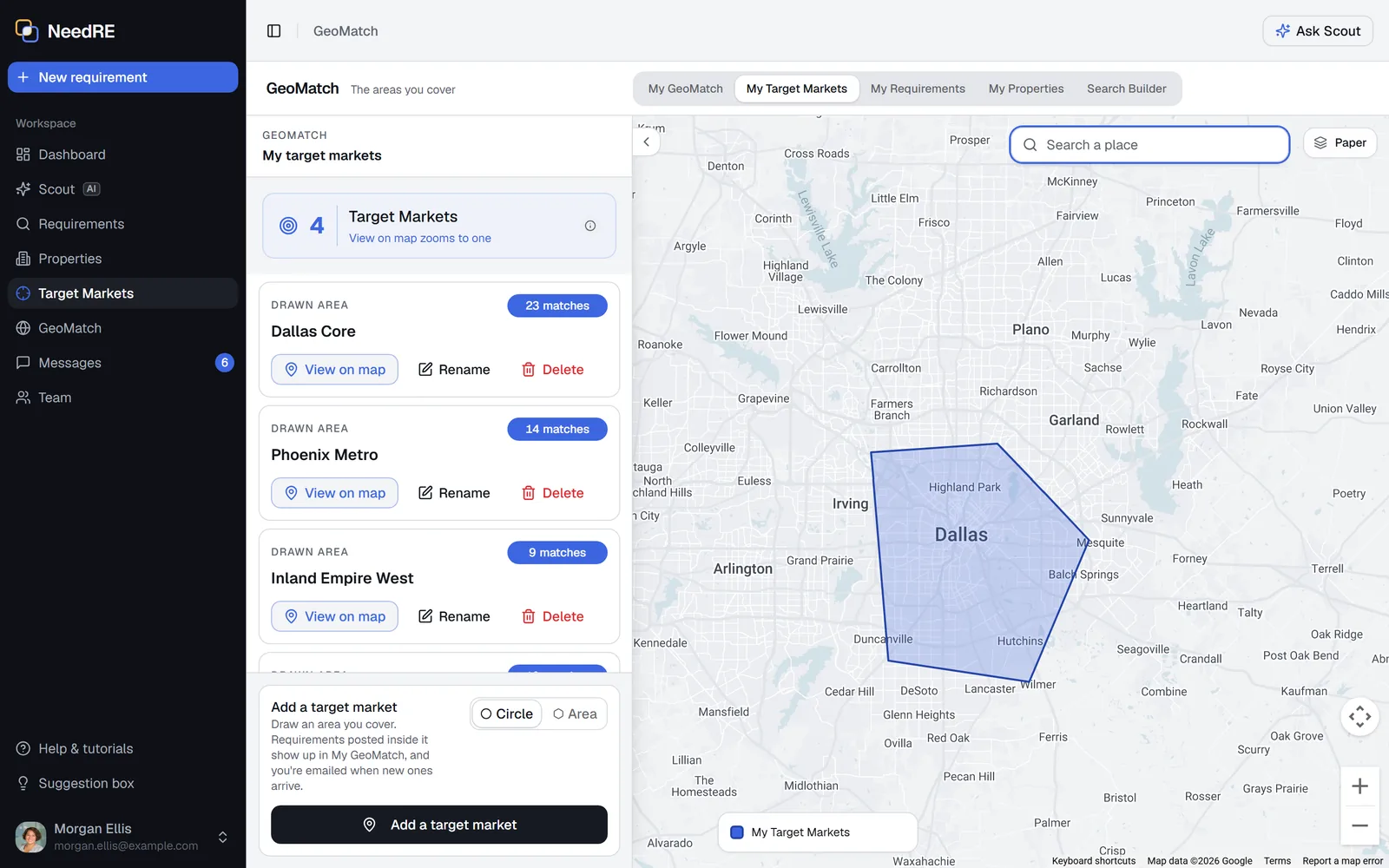
Draw your markets, not a list of ZIP codes
Draw the areas you cover as shapes or circles, over street, satellite or paper views. Matching uses the shapes themselves, so a requirement shows up only where its areas actually overlap your markets.
- Your target markets stay private to you
- Search any area you draw by type, size, budget and need date
- Find a place by name and jump straight to it
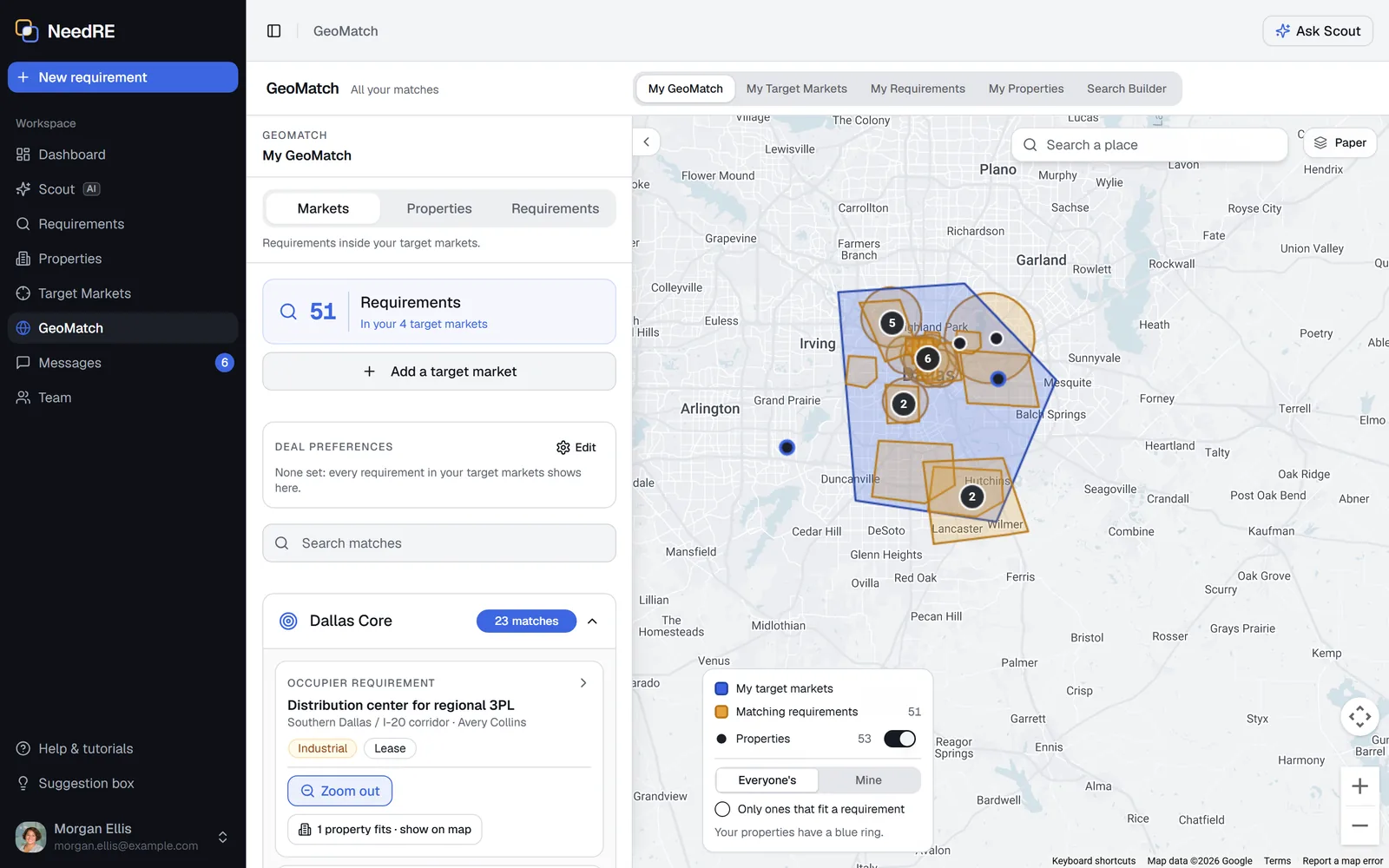
GeoMatch
Every match, in one view
See the requirements inside your target markets, the properties that fit your requirements, and the requirements your properties fit, in one view with the areas drawn.
- Requirements in amber, your markets in cobalt, properties as pins
- A count of new matches since your last visit
- Open any record, or glide straight to it
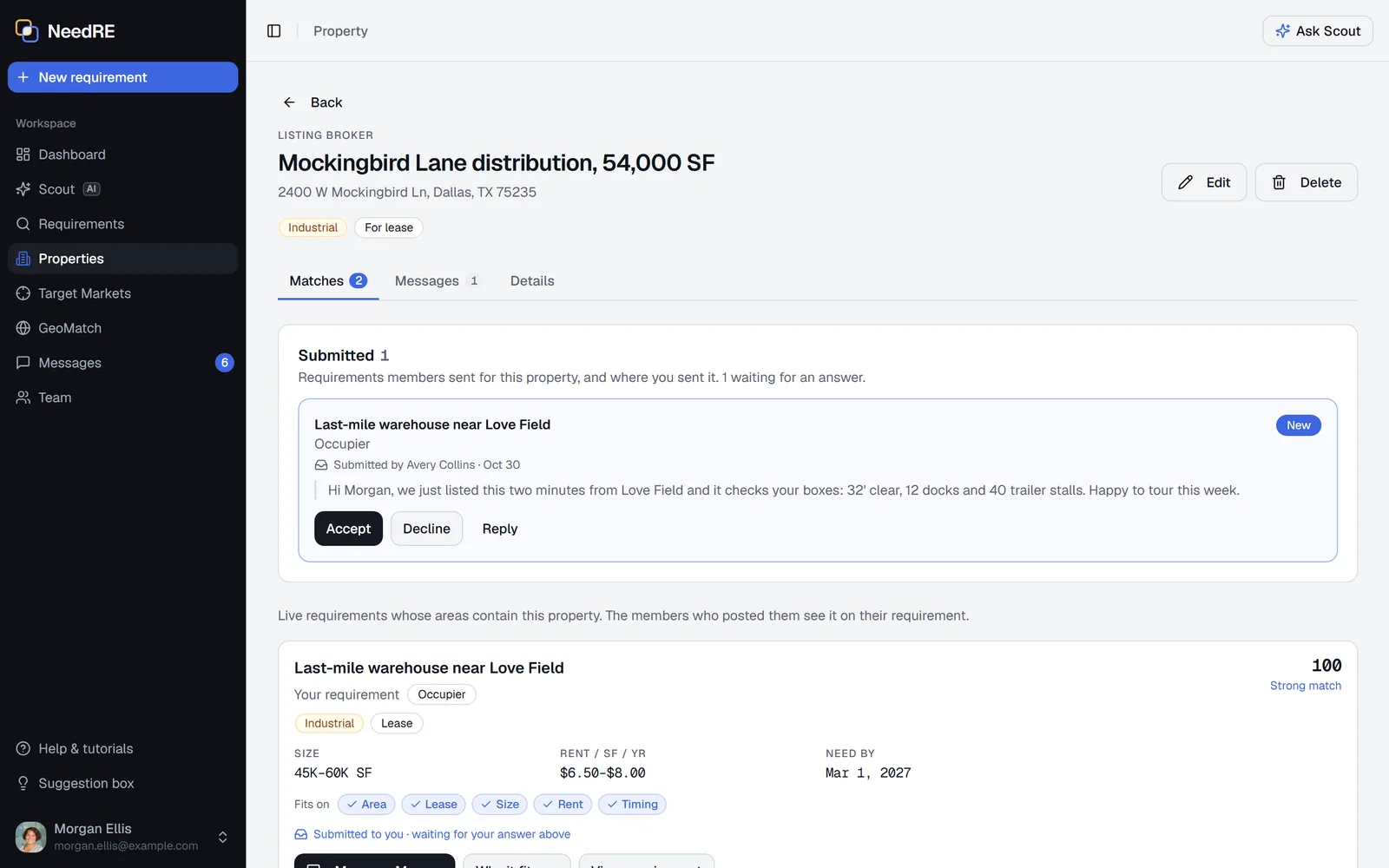
Submittals
Send a property. Get an answer.
Submit a property to a requirement, or a requirement to a property, with a note. It lands in their messages to accept or decline.
- A fit score on every option, and the reason when it isn't a fit
- Send several at once, each answered on its own
- The conversation stays with the match
Dashboard
Demand and supply, at a glance
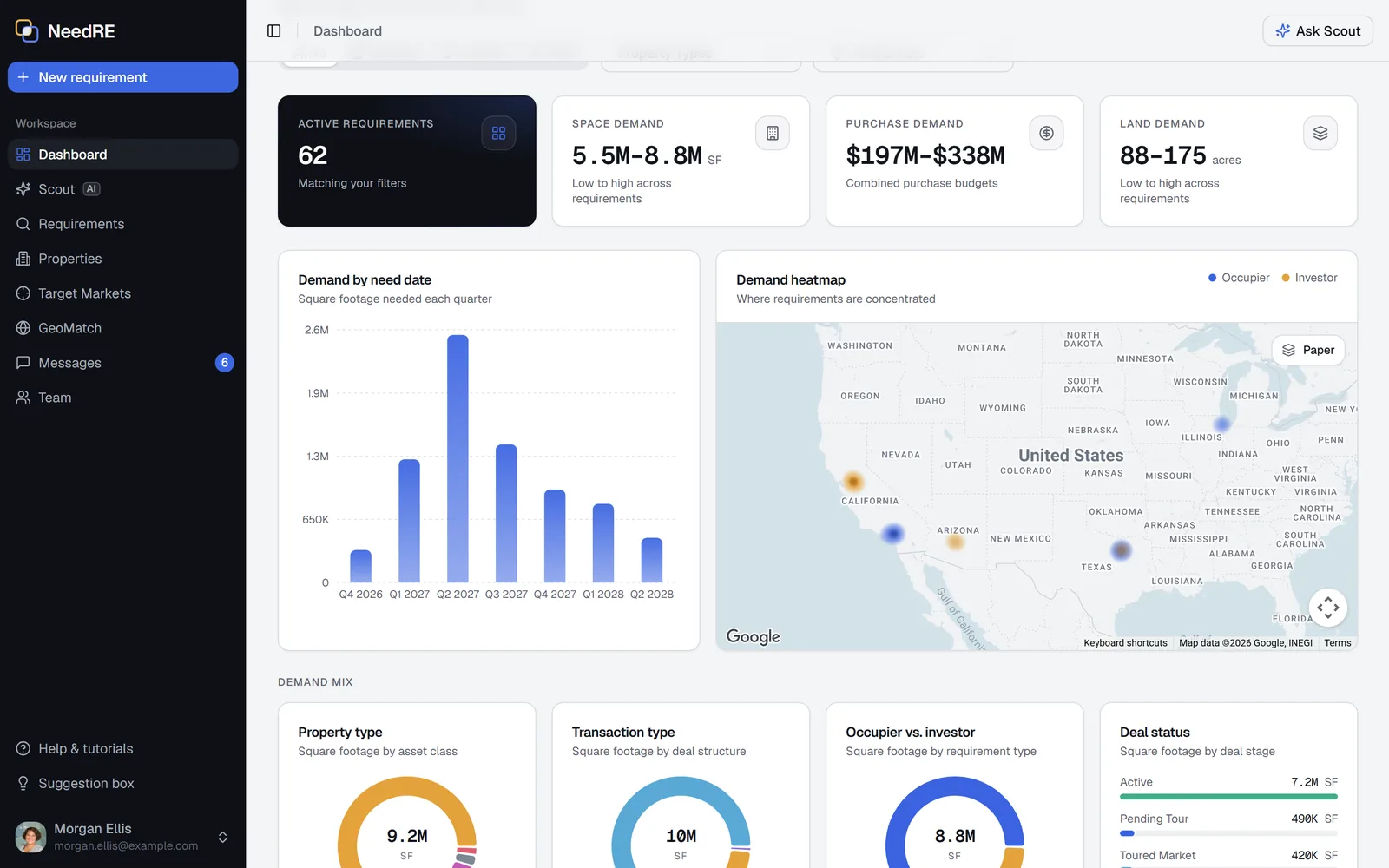
See how much space members need and when, where demand concentrates on a heatmap, and where it outruns supply.
- Demand by need date, quarter by quarter
- Supply against demand by property type and size
- Asking prices, and who offers each property
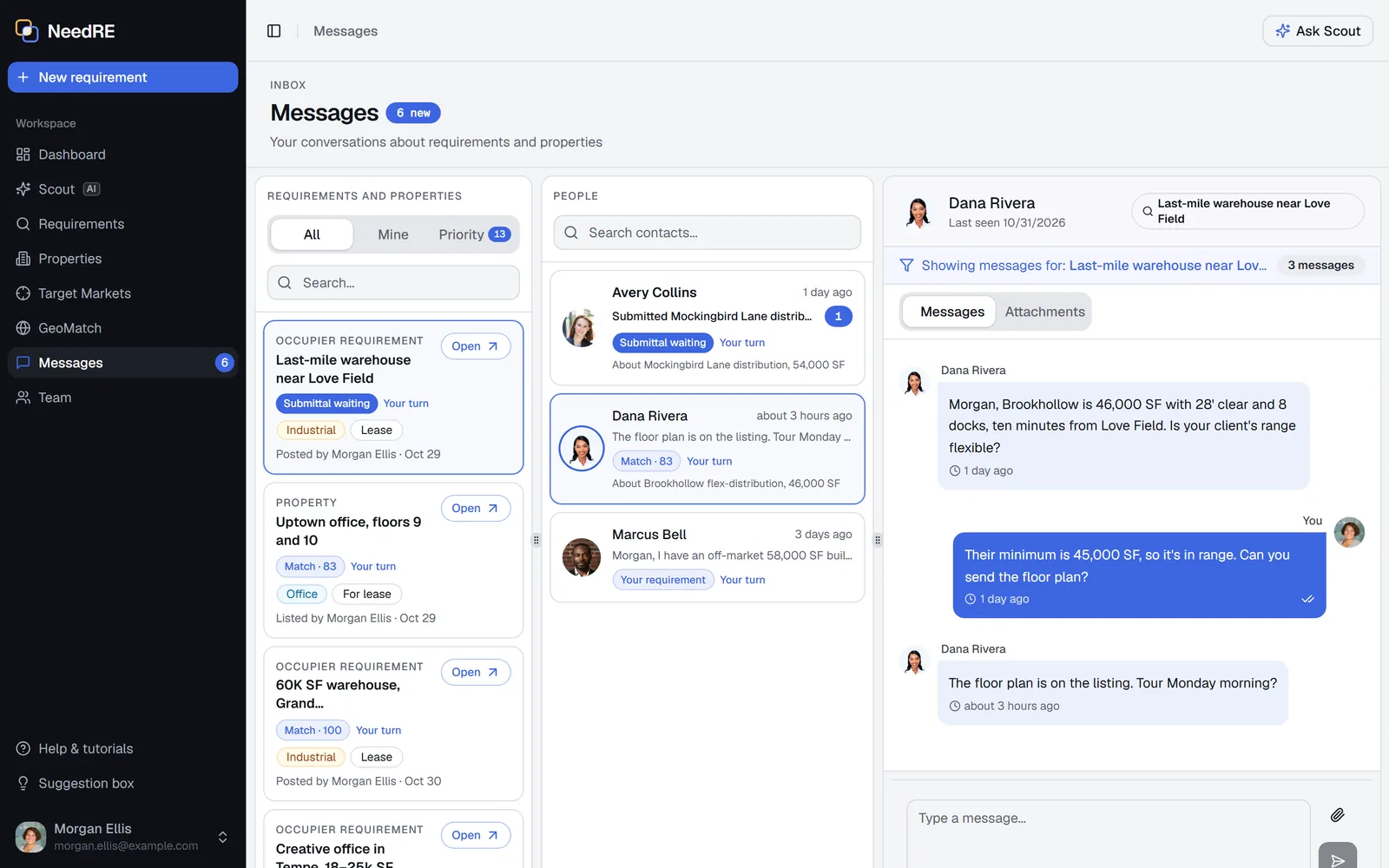
Messages
Messages ranked by priority
A submittal waiting on you comes first, then matches, your own posts and your markets, so the deals that matter don't get buried.
- Every conversation filed under its requirement or property
- Everyone you're talking to about a record, side by side
- Files and brochures right in the thread
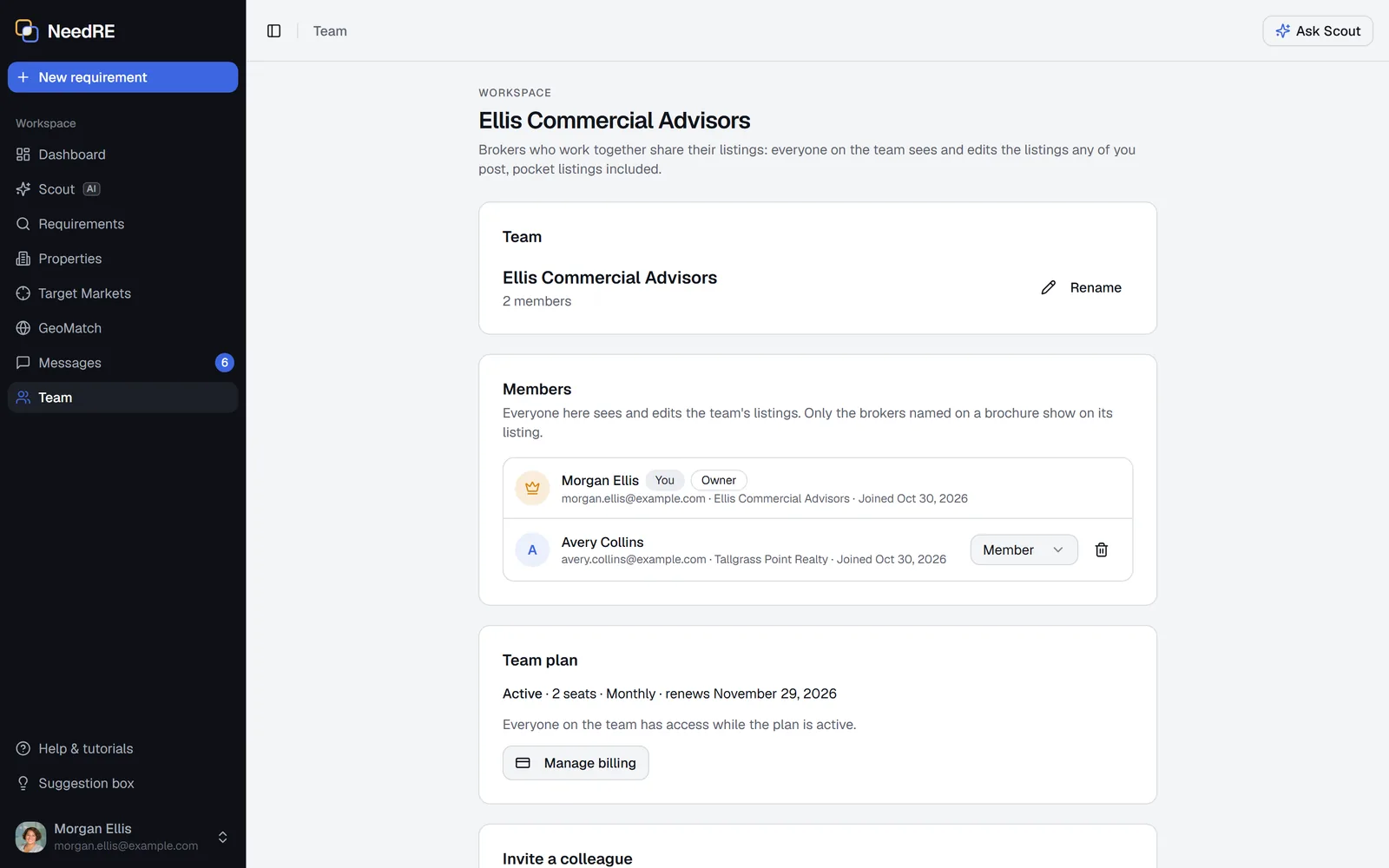
Teams
Built for your whole team
Bring your team in: everyone sees and edits the team's properties, pocket listings included, and one plan covers every seat.
- Invite colleagues by email
- Owners and admins manage who's on the team
- Brochure brokers who aren't members yet get an Invite button
Alerts
Never miss a match
NeedRE tells you when something needs you, in the app and by email. You choose which emails you get.
In the app
- A count of new matches on GeoMatch since your last visit
- Unread messages, with submittals waiting on you first
- Drafts read from your email, waiting to post
- Ask Scout what's new for a briefing
By email
- A new requirement in your target markets, within 15 minutes
- A new property that fits your requirement, or a new requirement that fits your property
- A message waiting more than 10 minutes, at most once an hour per conversation
- Check-ins at 90 and 180 days, so your requirements stay current
- A reply to every email you forward, with a link to each draft
Also included
The details that save you time
Share links
Send a requirement to anyone with a link. You choose what it shows.
Prospects
Track another broker's requirement privately and see the properties that fit it.
Private by design
Target markets and prospects stay yours, pocket listings stay with your team, and email and phone show only if you choose.
Works on your phone
Draw areas, check your matches and reply to messages from anywhere.
Member profiles
Your logo, role, website and LinkedIn on every card, and where your office is.
1031 exchanges
Flag a 1031 exchange so members know the clock is running.
How it works
Have a need, or fill one
Most members do both.
For seekers
I have a requirement
- 1
Post it in minutes
Paste the requirement email, or drop a PDF or screenshot, and AI fills in the form and draws the areas for you.
- 2
Properties that fit find you
Members' properties inside your areas are matched and scored on type, size, price and timing.
- 3
Answer submittals
Members send properties with a note. Accept or decline each, and message from the match.
- 4
Keep it current
Reminders at 90 and 180 days keep it fresh, and closing it takes one click.
For providers
I have properties
- 1
Add from a brochure
Drop one PDF or several, or forward them to post@in.needre.com.
- 2
Draw your target markets
See every requirement that overlaps them, and get an email when a new one lands.
- 3
Submit to the right requirement
Send a property with a note. It arrives in their messages to accept or decline.
- 4
Work as a team
Your team shares properties, pocket listings included.
Who it's for
Built for everyone in the deal
Pick your role.
- See live demand in your target markets before it hits the street
- Find properties for your occupiers, and tenants and buyers for your properties
- Let AI turn requirement emails and brochures into posts while you work the deal
- Work from one shared system with your team, not a dozen spreadsheets
- Post acquisition criteria and get matched with properties that fit
- Gauge demand by property type, size and need date before you build or buy
- Flag a 1031 exchange so members know your clock is running
- Reach the members active in your markets directly
- Share your space needs across several markets in one post
- Get proposals from members who have what you need
- See properties that never reach the listing sites
- Compare fits side by side: area, size, rent and timing
- Add sites and buildings in your territory and see the requirements they fit
- Watch expansion demand by type, size and timing
- Hear when a new requirement lands in your region
- Report demand to your stakeholders with the dashboard
Pricing
Simple, transparent pricing
Start with a 14-day free trial, then choose monthly or yearly, for yourself or your whole team.
No setup fees. No long-term contracts. Cancel anytime.
Everything you need:
- Unlimited requirement posts
- Full market access
- Secure messaging and document sharing
- Geographic search tools
- Real-time notifications
- Market analytics dashboard
- Email and chat support
14 days free • No credit card required
Save $45 per year (15% off)
Billed annually. Cancel anytime.
Everything you need:
- Unlimited requirement posts
- Full market access
- Secure messaging and document sharing
- Geographic search tools
- Real-time notifications
- Market analytics dashboard
- Email and chat support
14 days free • No credit card required
Team plan
One bill for the whole team
Everyone on the team shares properties, pocket listings included. Seats follow your team as people join or leave.
- Monthly, per seat
- $25 first two seats
- $20 each seat after
- Yearly, per seat
- $255 first two seats
- $204 each seat after
Seats after the second are 20% off. Start a team from the Team page once you've joined.
Questions
Frequently asked questions
What is NeedRE?
A network where members post requirements (what their clients need) and add properties (what they have), and NeedRE matches them. It's built for brokers, investors, developers, tenants and economic development organizations.
How is this different from CoStar or LoopNet?
Those platforms list properties. But every deal starts with a need, so NeedRE starts there: what members' clients actively need, and where. The properties members add are matched to that demand, so you see who a building fits, not only that it exists.
What is Scout?
Scout is NeedRE's AI assistant. Ask about requirements, properties, your target markets and your matches, and it answers from what you can see in NeedRE, with tables you can download. It can also set up a requirement, property or target market from a sentence for you to check. It never posts or sends anything for you.
Can I post by email?
Yes. Forward a requirement email, or a property's brochure, from your work address to post@in.needre.com. AI reads each one into its own draft, and nothing posts until you review it.
Who can see my target markets and pocket listings?
Your target markets and prospects are visible only to you. Pocket listings are shared only with your team. Your email and phone show only if you turn them on.
Can I post my 1031 exchange requirement?
Yes. Flag the requirement as a 1031 exchange so brokers, developers and owners know the deadline is real and respond quickly.
Do I need to post anything to use NeedRE?
No. You can draw target markets, browse requirements and properties, and ask Scout questions. Post when you're ready.
What markets does NeedRE cover?
Anywhere in the U.S. Matches come from the members active in your markets, so results grow as more members join in your area.